 CoolCrazyGames
Royal Theme Nail Art DIY - Nail Studio
Royal Theme Nail Art DIY - Nail StudioSimilar games

Fashion Nail Design Day: Art Game for Girls
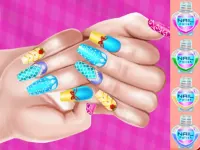
Princess Theme Nail Art DIY
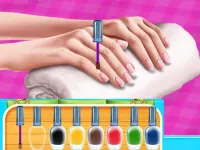
Fashion Nail Art Diy Blog
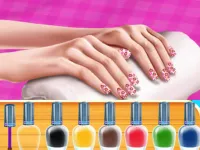
Princess Fashion Nail Art DIY Blog
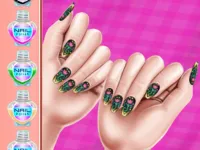
Royal Theme Nail Art DIY

Fashion Nail Design Day

Fashion Diy Nail Art Blog

Celebrity Spring Manicure Design

Nail Stack Run Challenge
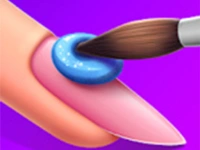
Nail Art - Free Nail Stars

TikTok Braided Hairstyles

Spring Nail-Art
Royal Theme Nail Art DIY - Nail Studio
Plain Royal Theme Nail Art DIY - Nail Studio provides a point and click mechanic for applying nail art.
Plain Royal Theme Nail Art DIY - Nail Studio provides a point and click mechanic for applying nail art. i use the mouse to select items from the menu and place them onto the virtual nails.
How To Play Royal Theme Nail Art DIY - Nail Studio
Step click the tools to apply polish and gems, then select colors and add sparkles.
Controls and Features
The controls are mouse clicks to select items and place them. The interface shows clear buttons for each tool like polish brushes and stickers.
Tips
Most users click the small gems first to make the rest easier. You should plan your design before you click to apply anything.
Royal Theme Nail Art DIY - Nail Studio FAQs.
Q: What are the controls? A: Mouse clicks to select items and place them.
Q: What is the objective? A: Create a royal themed nail design.
Q: What stated features are there? A: Clear buttons for tools like polish brushes and stickers.
Q: What is the main mechanic? A: Point and click mechanic for applying nail art.
More Royal Nail Art Arcade Game
Click to select items from the menu and place them onto virtual nails, I think it is pretty chill, use the mouse to apply polish and gems using the point and click mechanic with clear buttons, check out Royal Theme Nail Art DIY for a similar experience and plan your design.
About this game
- Supported devices
- Desktop
- Genre
- Girls Games
- Release date
- 17 November 2024
- Latest update
- 17 November 2024
- Rating
- No ratings yet