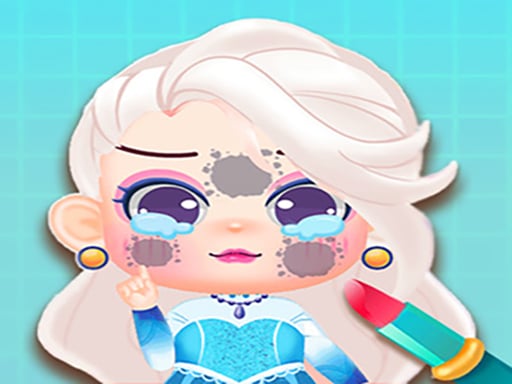














Mega Kawaii Chibi Avatar Maker
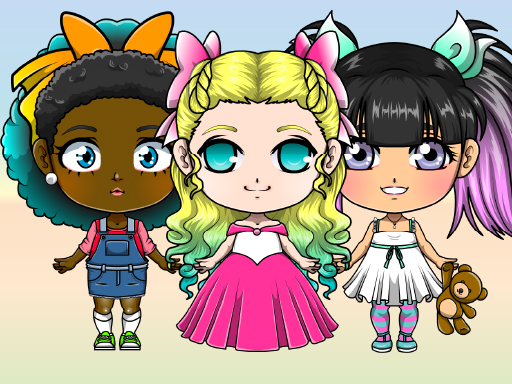
Plain chibi characters can be made using a brush and 80 colors. i pick clothes and accessories to change the look.
How To Play Mega Kawaii Chibi Avatar Maker
Click the brush, choose Color 1 or 2 to color different parts, and pick clothes.
Controls and Features
Click to select items and mix clothes like blouses, pants, skirts, and shoes. Add accessories like earrings, necklaces, hats, and hair clips, and use 80 colors.
Tips
Click the brush first to use the 80 colors for your chibi. Most players try Color 1 or 2 to color different sections.
Mega Kawaii Chibi Avatar Maker FAQs.
Q: What are the controls? A: Click to select items and use the brush.
Q: What is the objective? A: Pick clothes and accessories for a character.
Q: What stated feature is there? A: There are 80 colors to use.
Q: What is the main mechanic? A: Use a brush and choose Color 1 or 2.
Similar Chibi Brush and Color Game
Start by clicking the brush to use 80 colors for plain chibi characters, I usually pick clothes and accessories to change the look, then try Pretty Avatar Maker for more creative mixing, I think it is super relaxing to customize everything. Choose blouses, pants, skirts, and shoes. Use earrings, hats, and hair clips. Make a unique avatar now.
About this game
- Supported devices
- Desktop
- Genre
- Hypercasual Games
- Release date
- 17 November 2024
- Latest update
- 17 November 2024
- Rating
- No ratings yet