 CoolCrazyGames
Riot Village
Riot VillageSimilar games






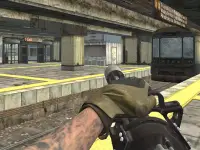



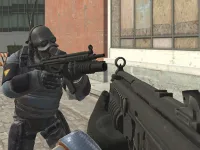

Riot Village
Plain Riot Village presents a simple visual design that works on any device.
Plain Riot Village presents a simple visual design that works on any device. I note that auto-movement is a core mechanic, making aiming tricky while shooting.
How To Play Riot Village
Start the game, use the mouse to aim and fire, and hold the mouse button for automatic fire.
Controls and Features
You use the mouse for aiming and firing, and number keys to switch weapons. The game has ten levels with AI foes and six weapons available.
Tips
Hold the mouse button down to keep your character firing automatically. Most players use the R key to reset position if things get wonky.
Riot Village FAQs.
Q: What are the controls? A: Mouse for aiming and firing, number keys for weapons, R key to reset.
Q: What is the objective? A: Shoot AI foes across levels.
Q: One stated feature? A: Ten levels.
Q: What is the main mechanic? A: Auto-movement while shooting.
Similar Auto-Shooter Arcade Game
Play this shooter with auto-movement and a simple design, Village Of Monsters works on any device, I think aiming feels tricky while shooting, hold mouse to fire at AI foes across ten levels.
About this game
- Supported devices
- Desktop
- Genre
- Shooting Games
- Release date
- 16 November 2024
- Latest update
- 16 November 2024
- Rating
- No ratings yet