 CoolCrazyGames
MineBlocks: Building
MineBlocks: BuildingSimilar games





MineBlocks: Building
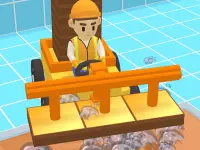
Plain physics and building form the core of MineBlocks: Building.
Plain physics and building form the core of MineBlocks: Building. I noted that structures can wobble or fall due to the physics.
How To Play MineBlocks: Building
Move your mouse to place blocks, click to build structures with simple controls.
Controls and Features
You use the mouse to add or remove blocks, and the physics can cause structures to wobble or collapse. The game offers simple controls and runs smoothly.
Tips
Most quick tip is to use the right mouse button to remove blocks faster. This helps fix messy builds more quickly.
MineBlocks: Building FAQs.
Q: What are the controls? A: Use the mouse to add or remove blocks.
Q: What is a stated feature? A: Physics that make structures wobble or fall.
Q: What is the main mechanic? A: Building and placing blocks.
Building Physics and Wobble Mechanics
Start by placing blocks with your mouse, I love how the physics make structures wobble and collapse, and use Building New House for inspiration when building. You can remove blocks quickly with the right click to fix messy builds, but the game runs smoothly with simple controls, so try to build a tall tower and watch it fall. This is a lazy guide.
MineBlocks: Building Arcade Games Guide
MineBlocks: Building is an arcade game where you construct and explore using simple block-based tools. It combines building fun with fast-paced action, offering a relaxing yet engaging experience. Play in your browser with WebGL and enjoy creative play without any violence.
About this game
- Supported devices
- Desktop
- Genre
- Arcade Games
- Release date
- 15 November 2024
- Latest update
- 15 November 2024
- Rating
- No ratings yet